
Early-access Windows scheduling software
Visual production scheduling for small manufacturers.
SequenceBoard helps job shops and production teams turn messy spreadsheets, whiteboards, and tribal knowledge into a schedule they can see, adjust, and improve.
Windows desktop app · Early access · Built for job shops, machine shops, and small production teams
Scheduling should not depend on one overloaded spreadsheet.
Many small shops are trying to manage real production work with tools that were never built for scheduling. Jobs move. Machines get overloaded. Setup time matters. Priorities change. Materials are missing. And too often, the whole schedule lives in a spreadsheet, on a whiteboard, or in one person’s head.
SequenceBoard gives your schedule a visual home.
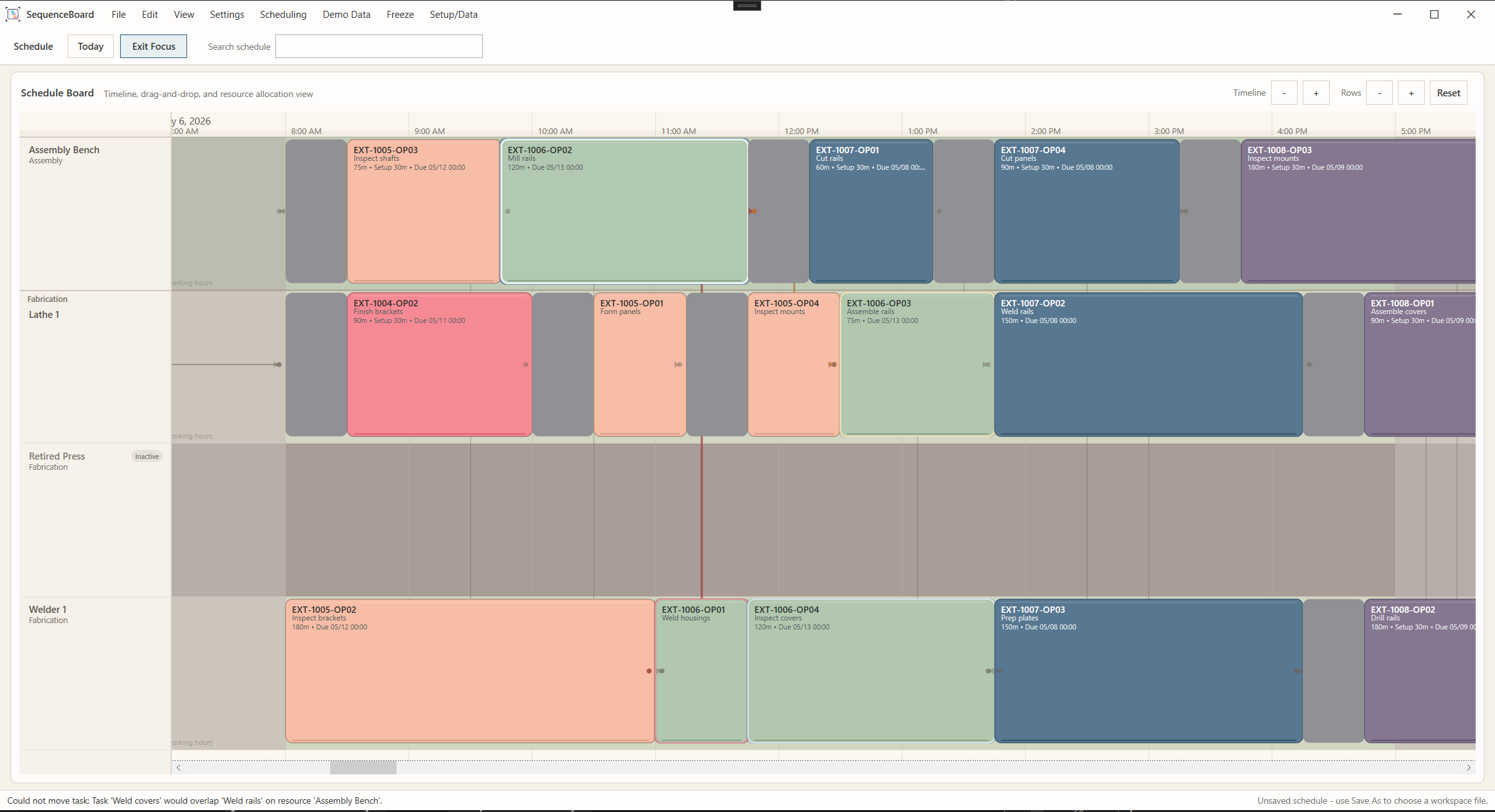
Instead of managing production as rows in a spreadsheet, SequenceBoard gives you a visual board where jobs and operations can be arranged across machines and resources. The goal is simple: make the schedule easier to understand, easier to adjust, and easier to improve.
Visual machine/resource lanes
See work organized around the machines and resources that actually drive production.
Drag-and-drop scheduling
Move work visually as priorities, capacity, and shop-floor reality change.
Job and operation records
Keep scheduling context tied to jobs and the operations needed to complete them.
Setup and run-time planning
Account for the time details that spreadsheet rows often hide.
Demo data included
Explore the product with sample scheduling data before entering your own workflow.
Practical shop workflows
Built for job shops, machine shops, fabrication shops, print shops, and production teams.
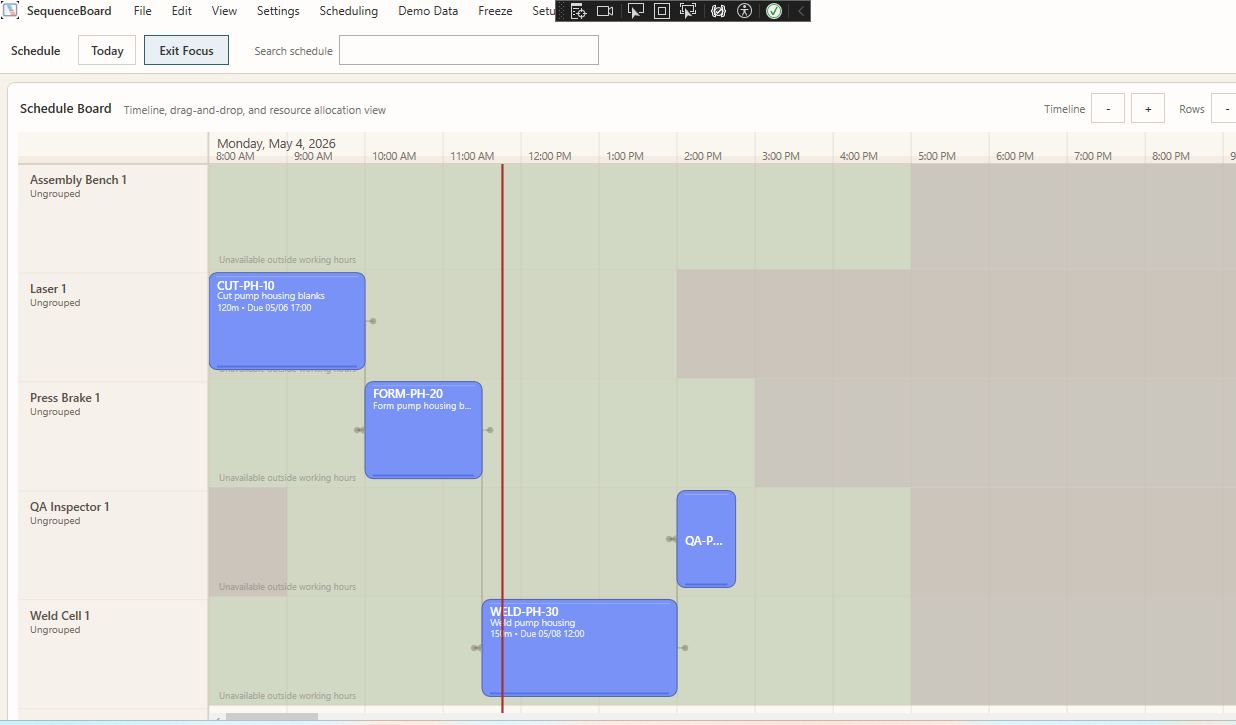
See SequenceBoard in use
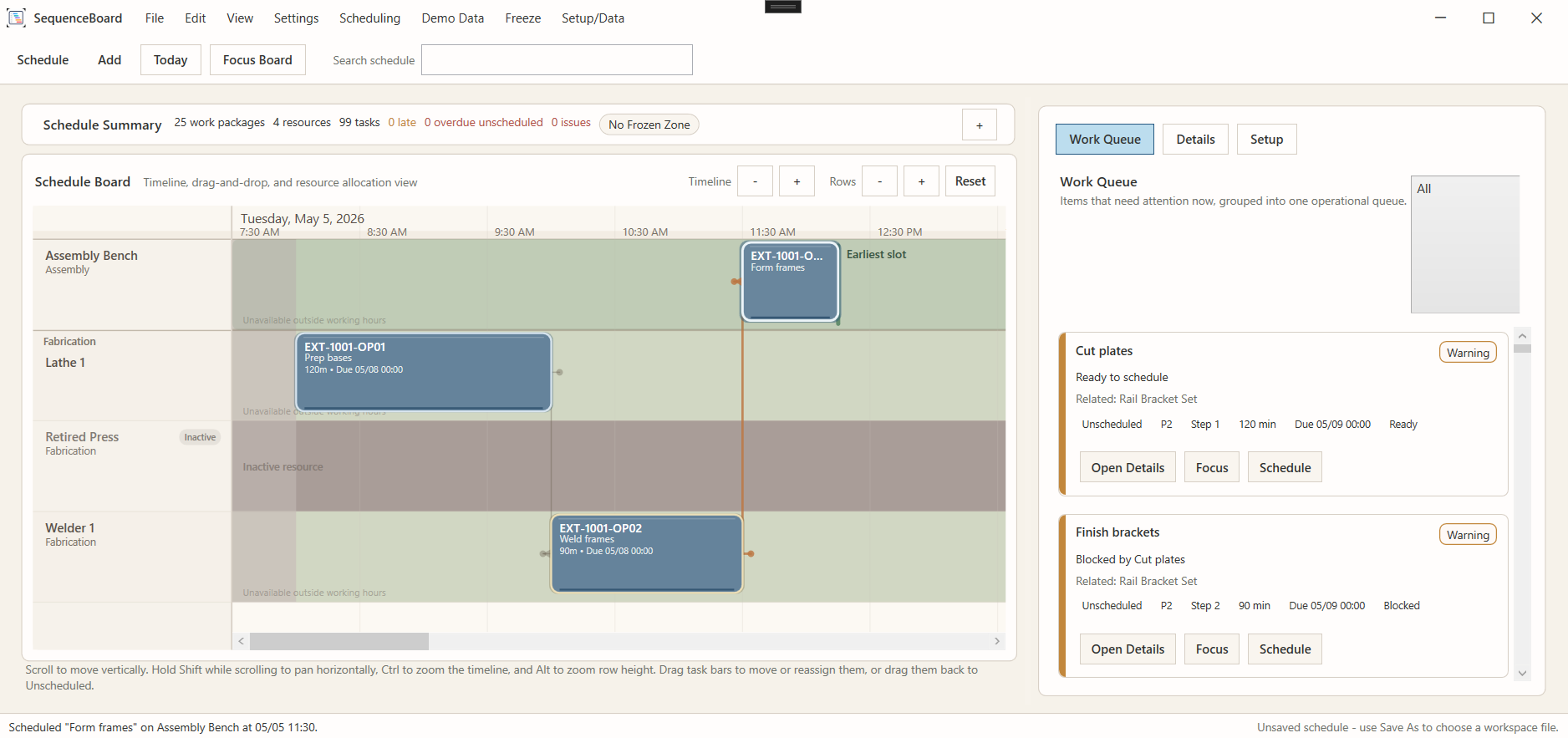
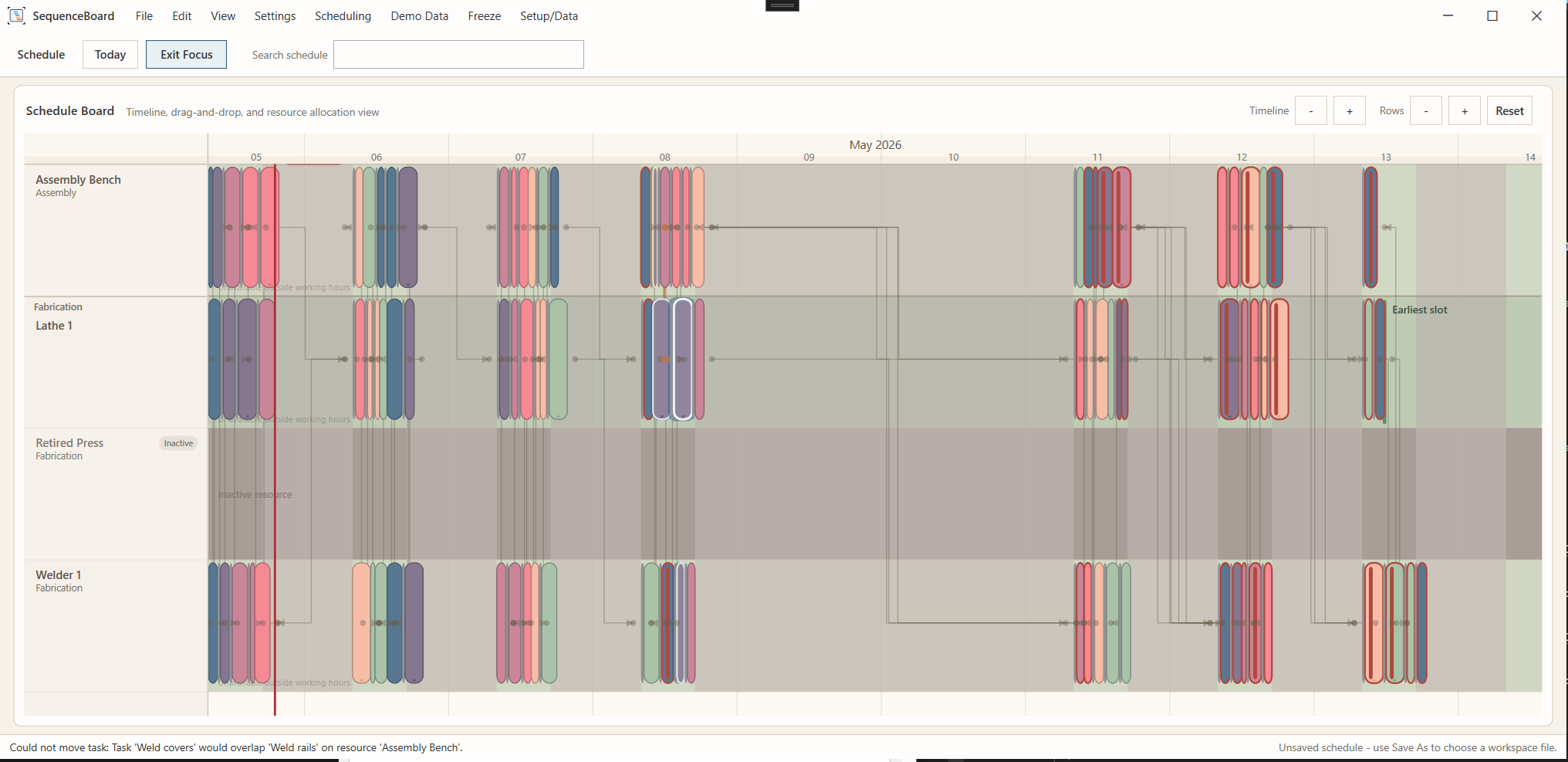
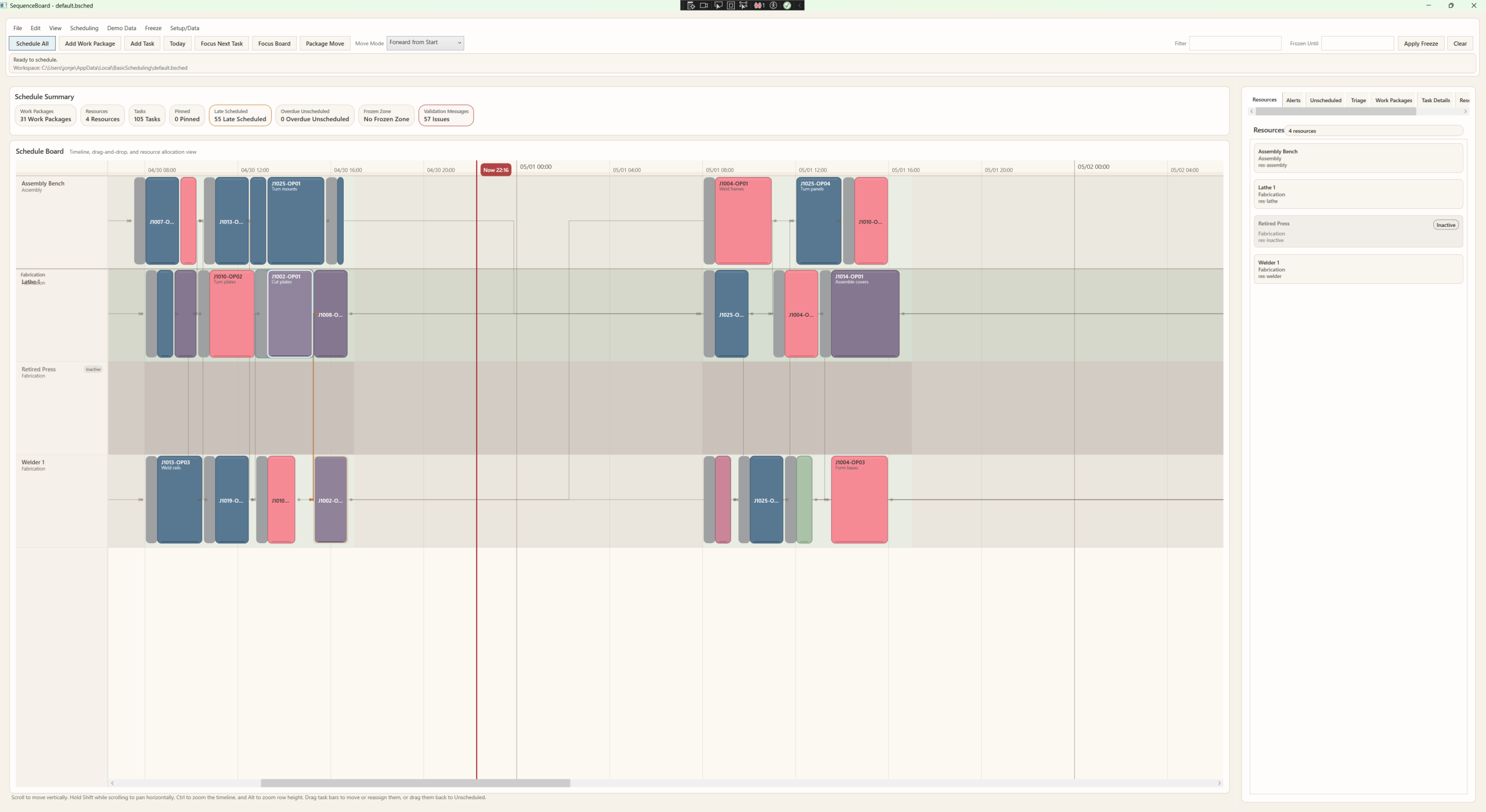
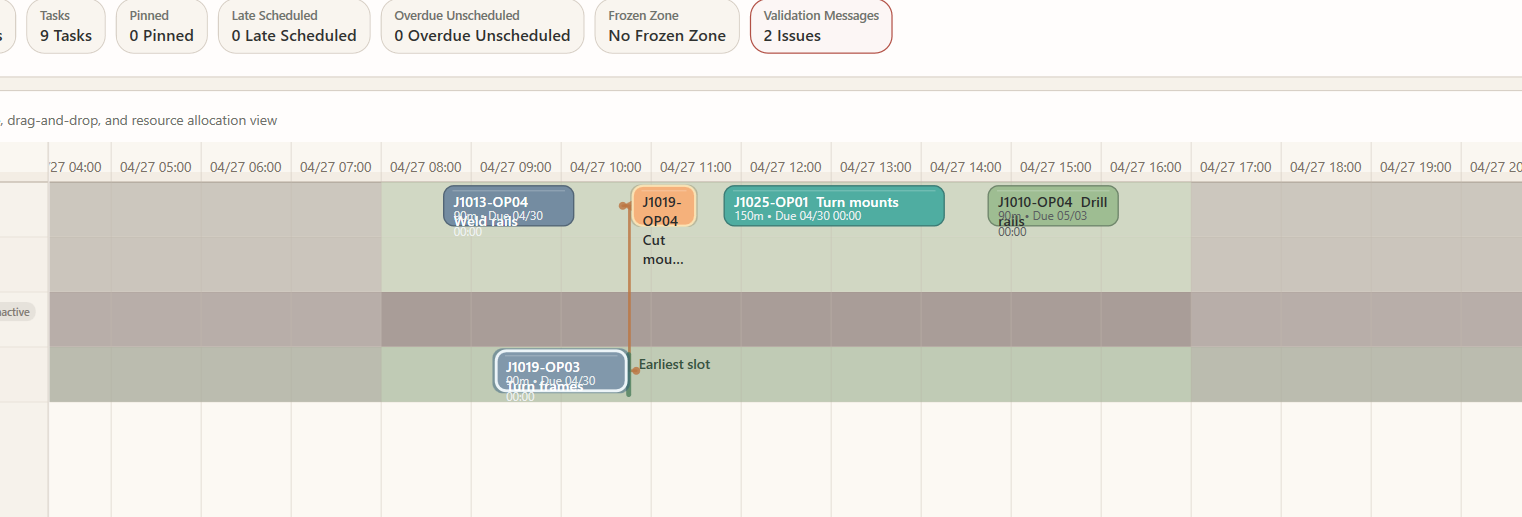
The current build gives small shops a practical scheduling workspace: timeline lanes, work queues, task details, resource lists, validation cues, and guardrails that help prevent overlapping work.
Free licensed early access
Try your first schedule with SequenceBoard.
Free manual invitation licenses have no 30-day cutoff. No payment or card is required. Future paid offerings will be communicated separately.
Windows x64 installer and manual license-request instructions are available.
Download and request a licenseIn the current build
- Current SequenceBoard Windows desktop build
- Visual scheduling board
- Resource/machine lanes
- Job and operation data model
- Manual schedule adjustment
- Demo data for exploring the product
- Early-access updates as the product improves
- A chance to influence future development
Where SequenceBoard is headed
The roadmap is meant to be transparent. Items below are grouped by current product status.
Available Now
- Visual scheduling board
- Job and operation records
- Machine/resource lanes
- Manual schedule adjustment
- Demo data
In Progress / Next
- Better import/export workflows
- Batch scheduling modes
- Material availability checks
- Multi-operation drag-and-drop
- Shared resources such as workers, tools, molds, or fixtures
Planned Later
- Scenario comparison
- More advanced reporting
- Industry-specific templates
- Improved onboarding workflows
- More guided scheduling tools
Why not just use Excel?
| Need | Spreadsheet / Whiteboard | SequenceBoard |
|---|---|---|
| See machine load visually | Hard to see at a glance | Built around visual lanes |
| Move jobs around quickly | Manual row edits | Drag-and-drop scheduling |
| Represent setup/run time | Custom formulas | Native scheduling fields |
| Show job operation sequence | Easy to lose context | Built around jobs and operations |
| Train another scheduler | Often depends on tribal knowledge | More visual and teachable |
| Improve the schedule over time | Difficult to compare | Designed for scheduling improvement |
FAQ
Is SequenceBoard finished?
No. SequenceBoard is currently in early access. The core scheduling board is available, and the product is actively being improved.
Who is SequenceBoard for?
SequenceBoard is for small manufacturers, job shops, machine shops, fabrication shops, print shops, and production teams that need a clearer way to schedule work across machines and resources.
Does SequenceBoard work on Mac?
SequenceBoard is currently built as a Windows desktop application.
Can I import my existing data?
Yes. CSV import/export and Excel workbook import are available. Review CSV import previews and keep backups before importing into an existing workspace.
When can I try SequenceBoard?
Free licensed early access is available. Visit the free early-access page to download the installer and request a manual license file.
How will pricing work?
This early-access build is free with no payment or card and no 30-day cutoff. Future paid offerings will be communicated separately.
What is the annual price?
Paid pricing and checkout are deferred while we focus on users and feedback. Free future versions are not promised.
Is this a cloud product?
SequenceBoard is currently positioned as a Windows desktop application.